Set up your profile
Your profile is what other players see about you: your real name, time zone, a few words and a photo. You decide who sees it.
- Your name at the top right opens the account menu.
- Choose Profile.
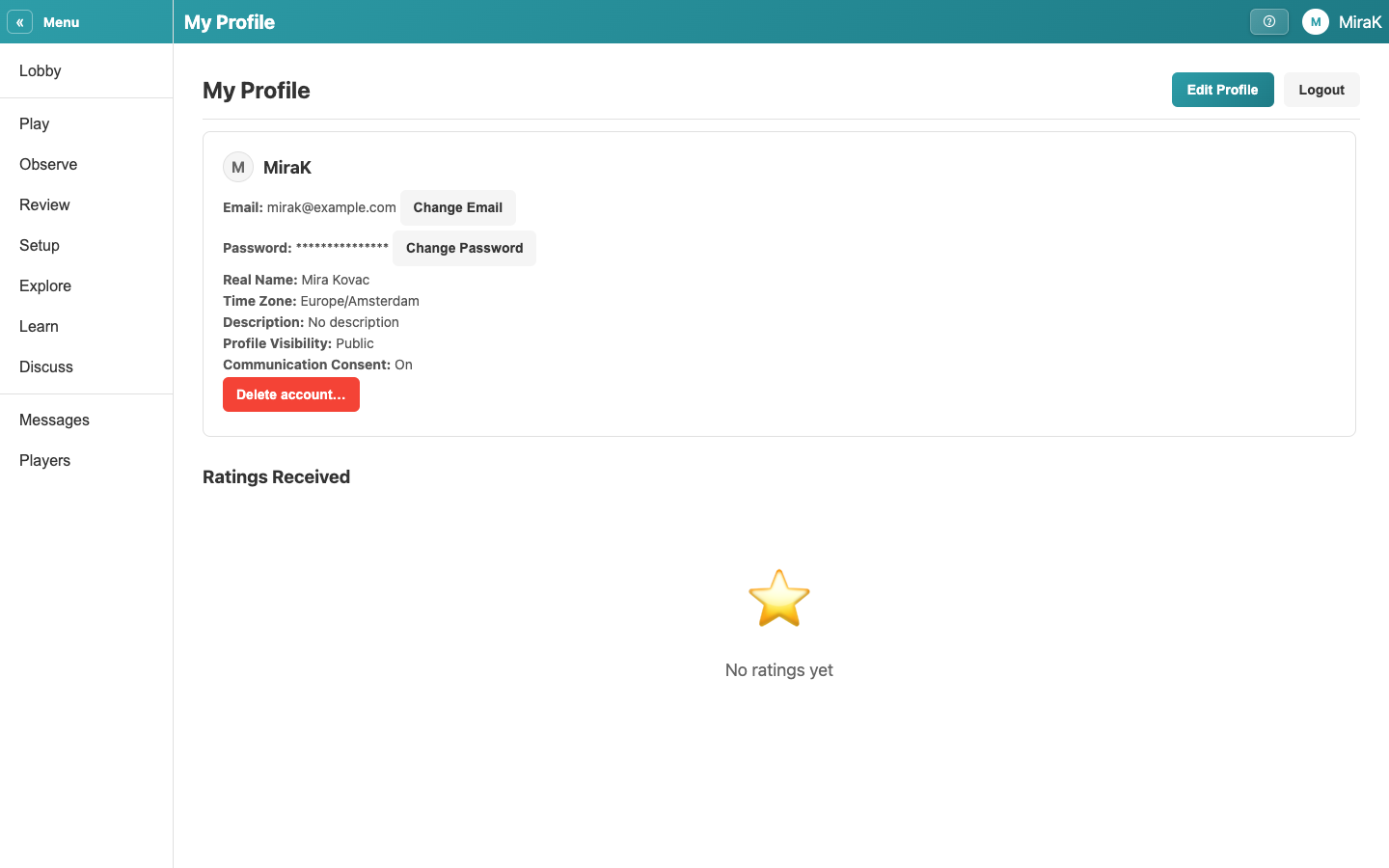
- Edit Profile changes what other players see about you.
- Your real name, at least 5 characters.
- Your time zone. Scheduled chouettes are shown in it.
- A few words about yourself, such as where you play.
- Upload a photo, at least 300 by 300 pixels. You can pan and zoom it before you apply it. It is shown once it has been reviewed.
- Who sees your real name, time zone, description and photo. Public is every player, Friends Only your friends, Private nobody. Everyone sees your username.
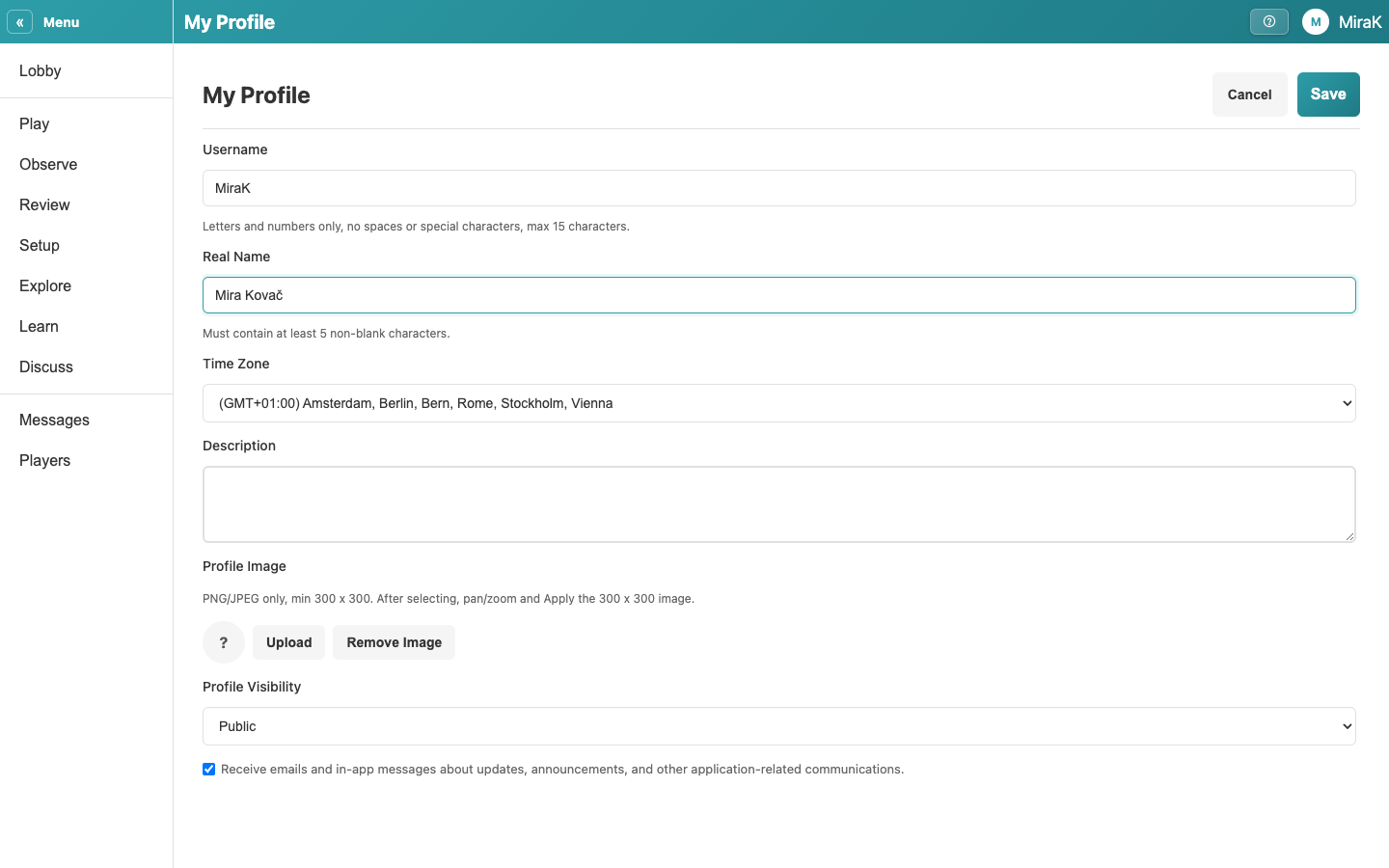
- Save keeps your changes.
- Change Email sends a code to the new address; enter it to confirm the change.
- Change Password asks for your current password and the new one twice.
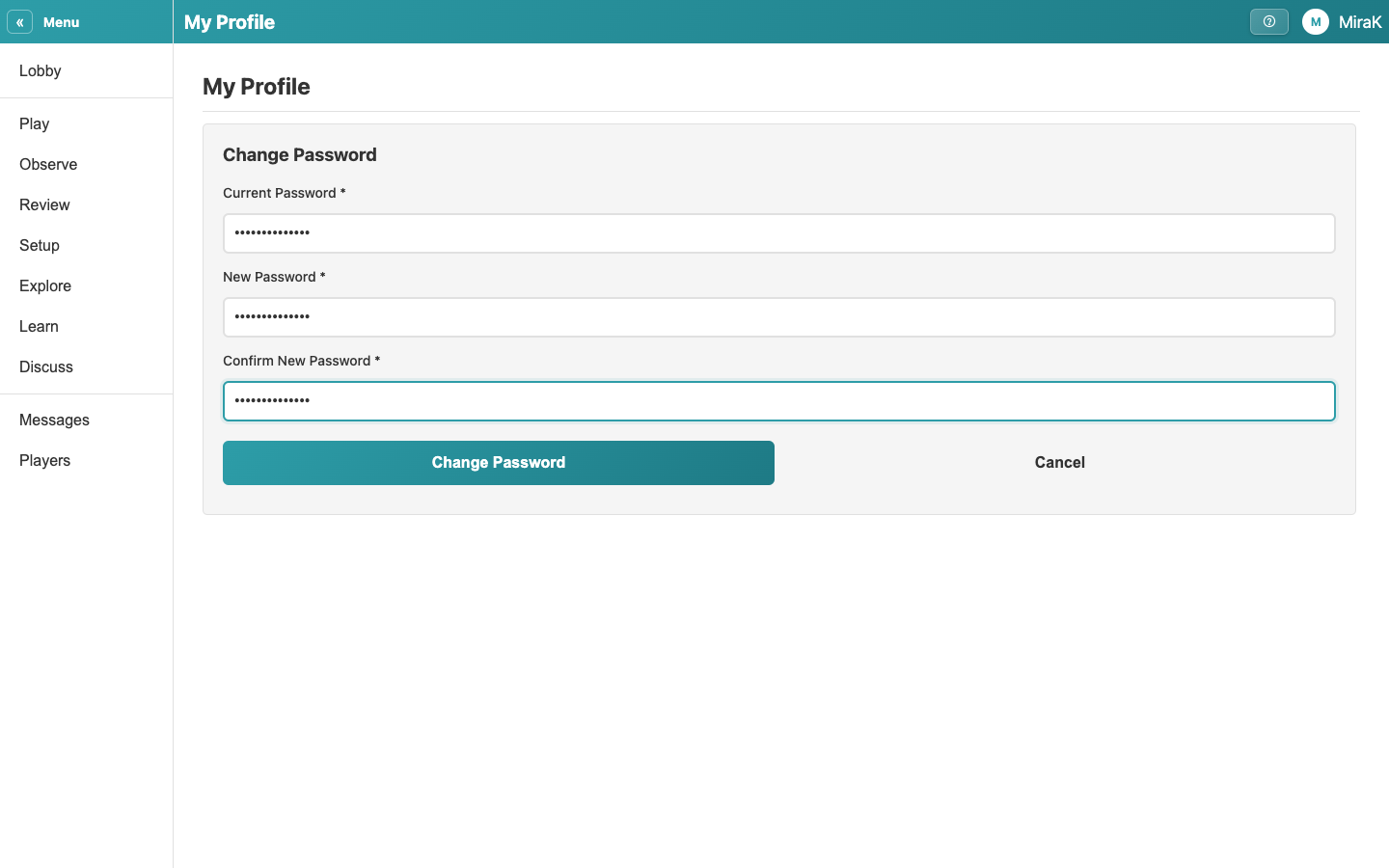
- You are back on your profile.